Design insurance application screens with the requirements built in
Lay out each screen, add the rules to every field, and get mockups, a rules spreadsheet and test cases that stay in sync.
Trellis runs on a laptop or desktop computer.
Free No account Saves to your computer
How it works
From a blank screen to finished requirements
How it works
From a blank screen to finished requirements
-
 1
Lay out the screens
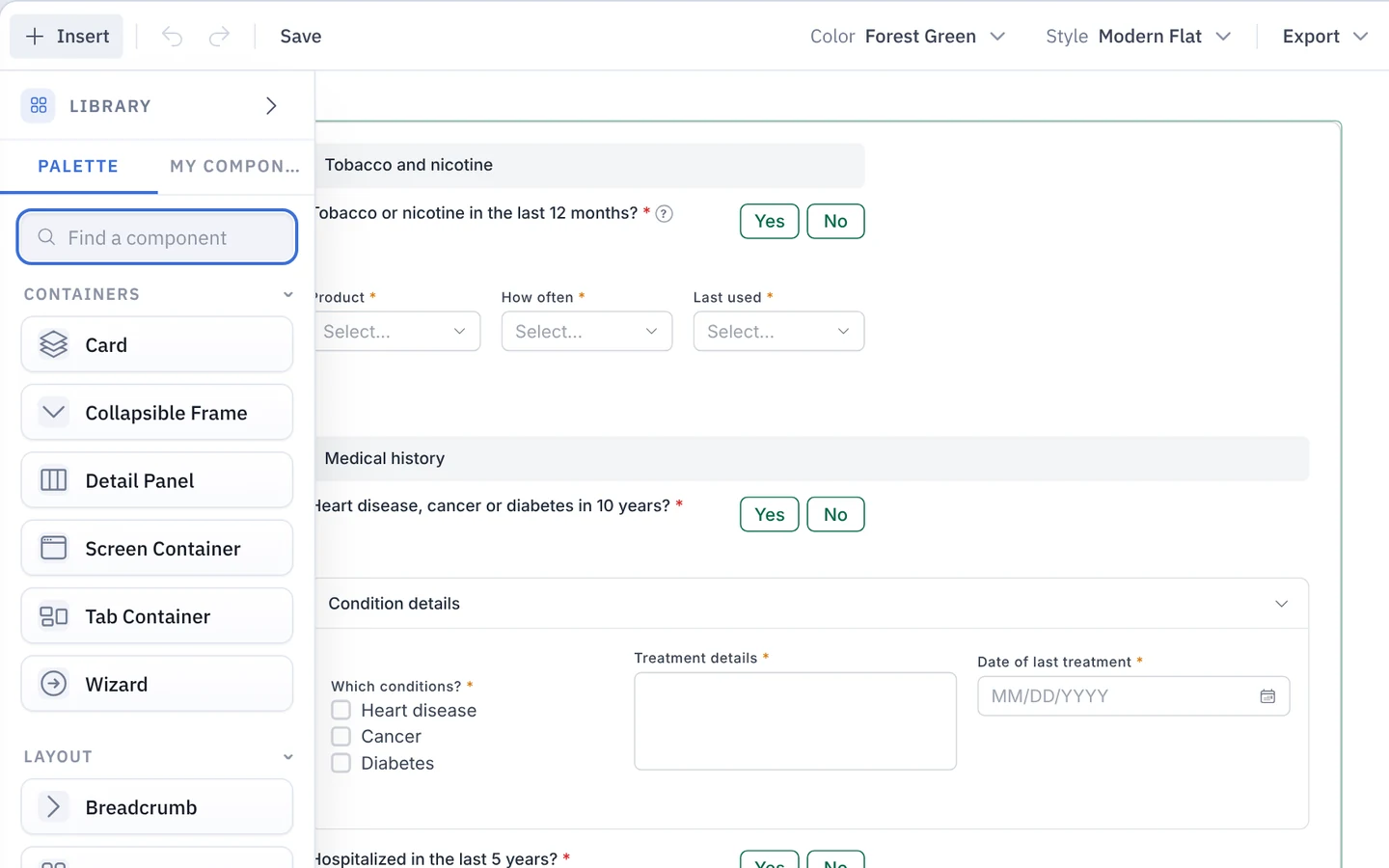
Drag in text boxes, dropdowns, yes or no questions and more to build each screen of the application.
-
 2
Add the requirements to each field
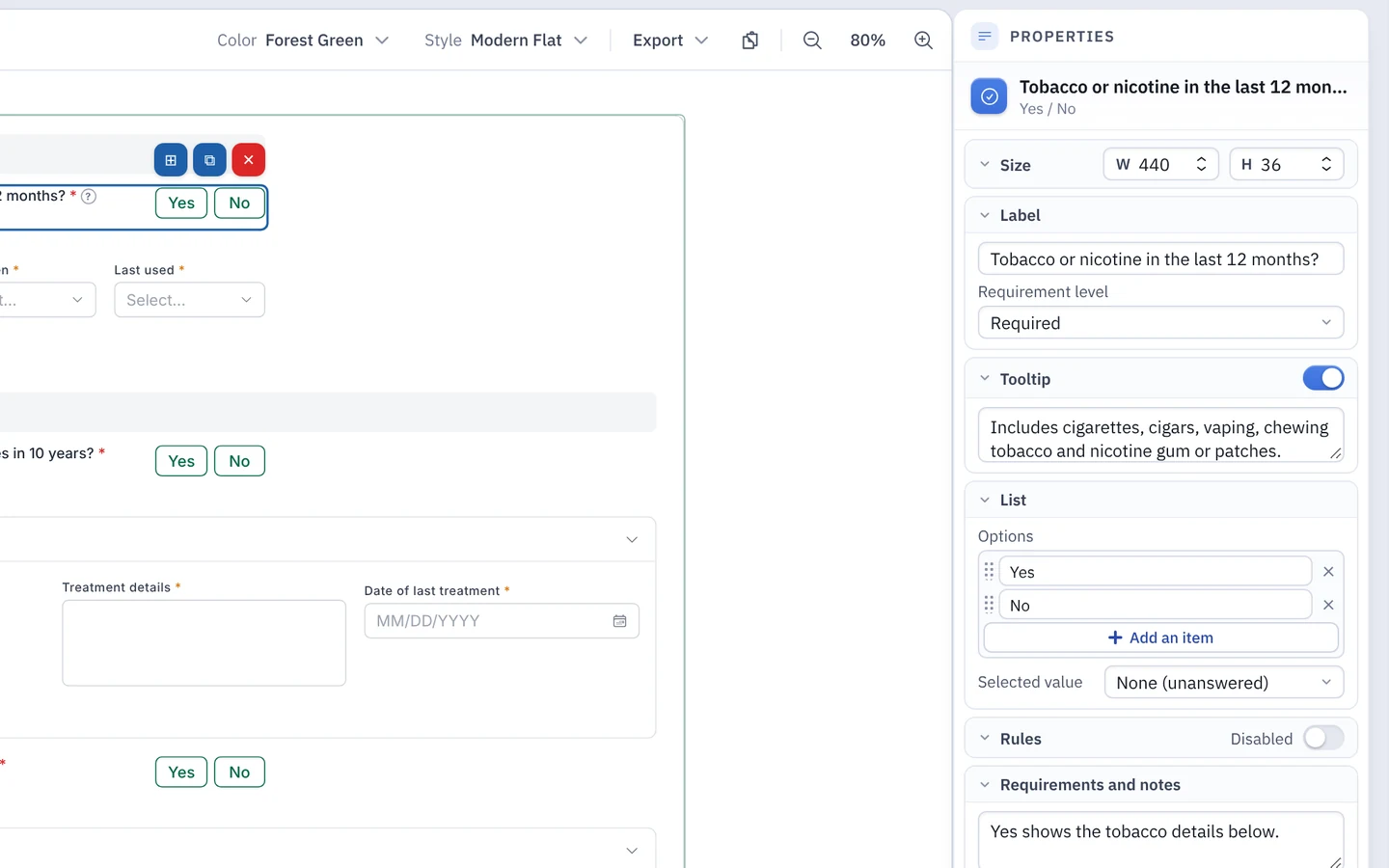
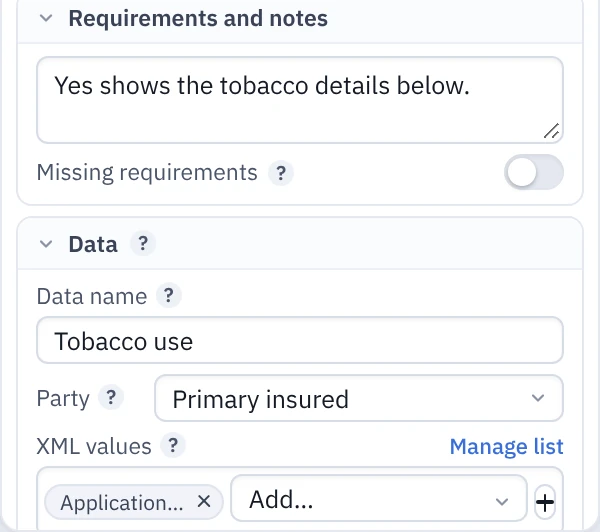
Mark it required or optional, list the answers it allows, note when it shows or hides, and record the data it collects and the forms it prints on.
-
 3
Share it with your team
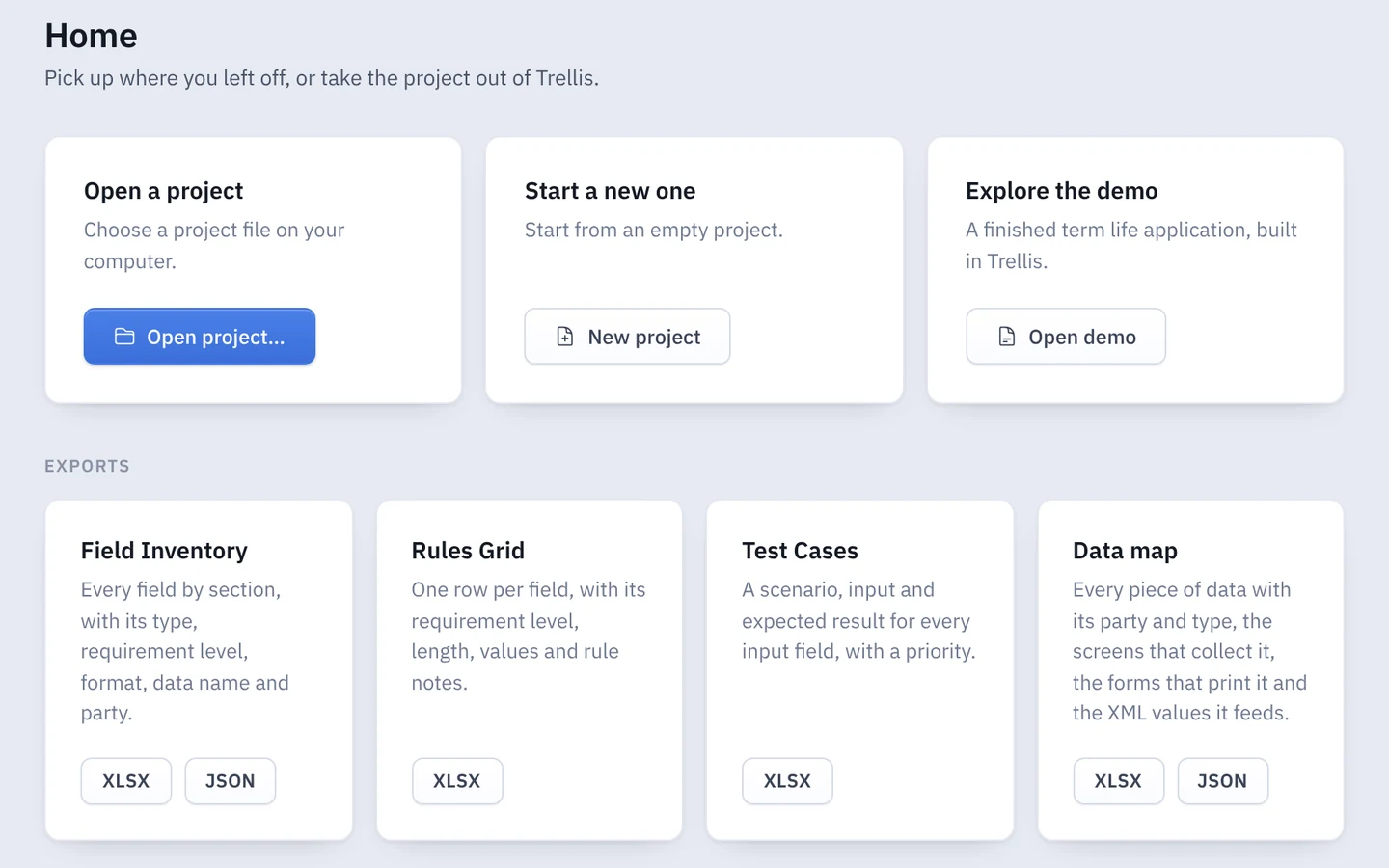
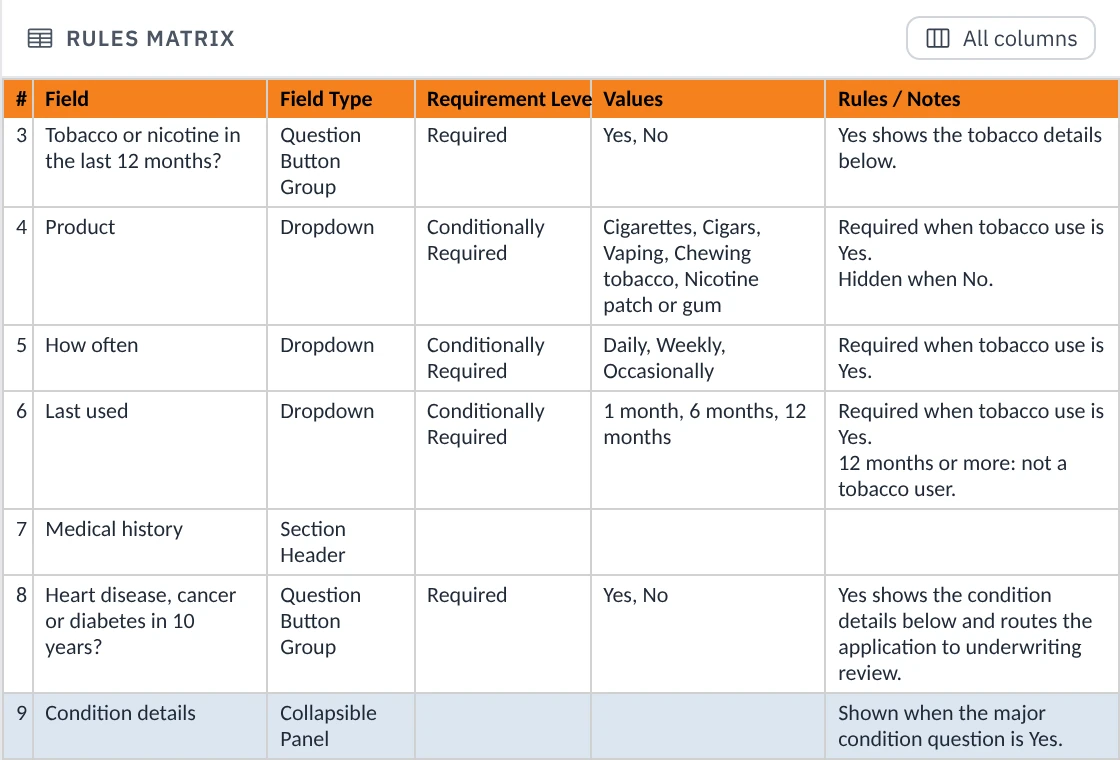
Download every deliverable: mockups, a rules spreadsheet, a field list, test cases and a data map.
Why Trellis
One change. Every deliverable in sync.
Say a client changes the tobacco question from 12 months to 5 years. You make the change once, and your mockups, rules spreadsheet, test cases and data map all show the new wording.
Dependency map
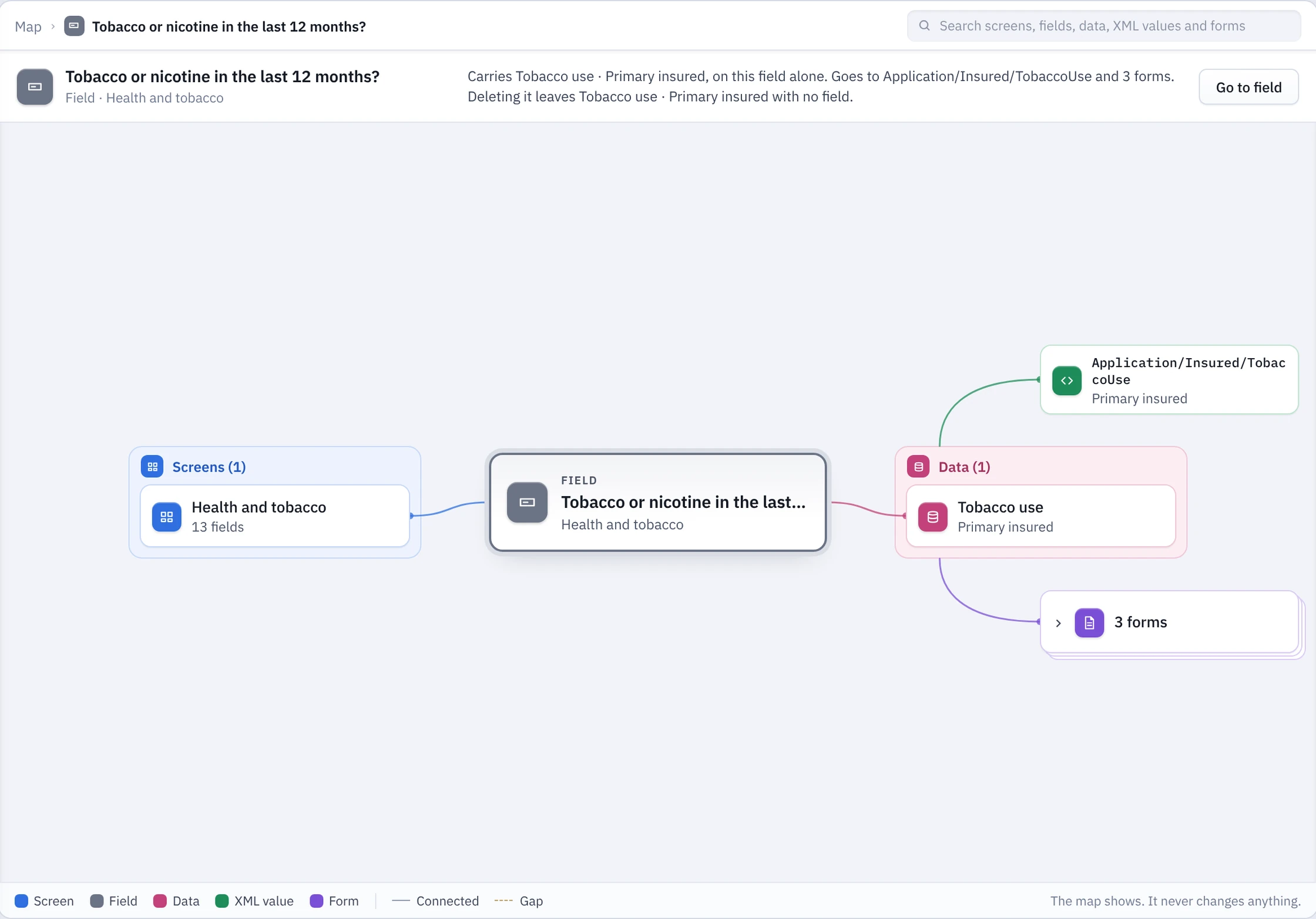
See how everything connects
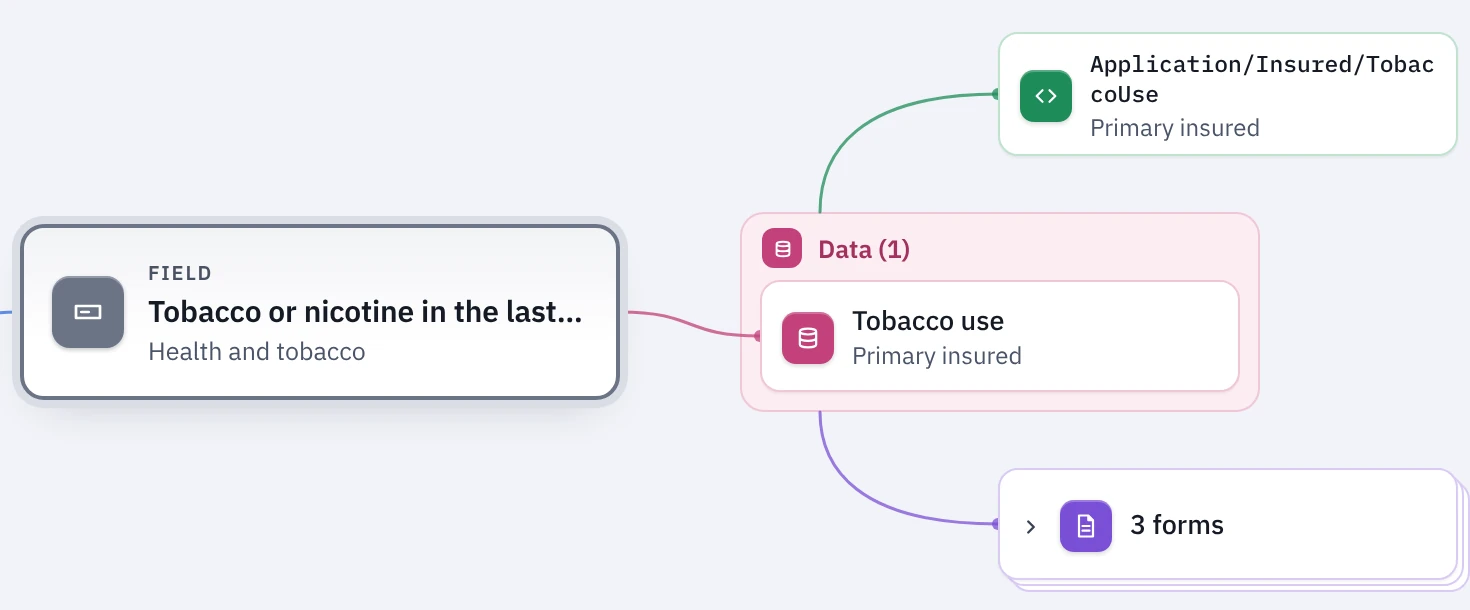
Pick any screen or field to see everything it touches: the data it collects, the forms it prints on and the XML it sends to other systems. Gaps are flagged, like a field with no data behind it.
Fits your platform
Make it look like your platform
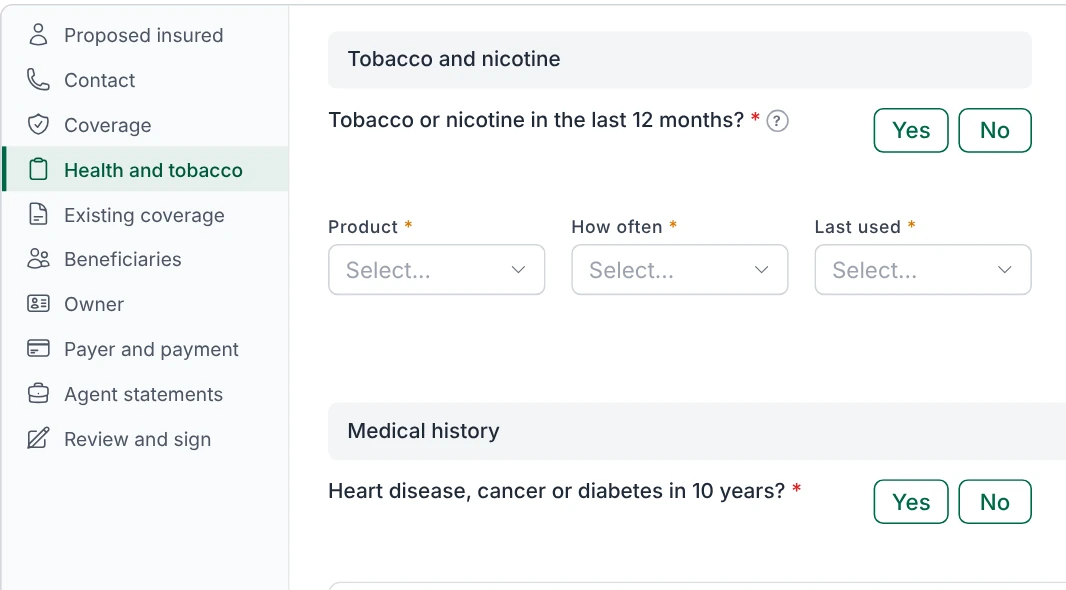
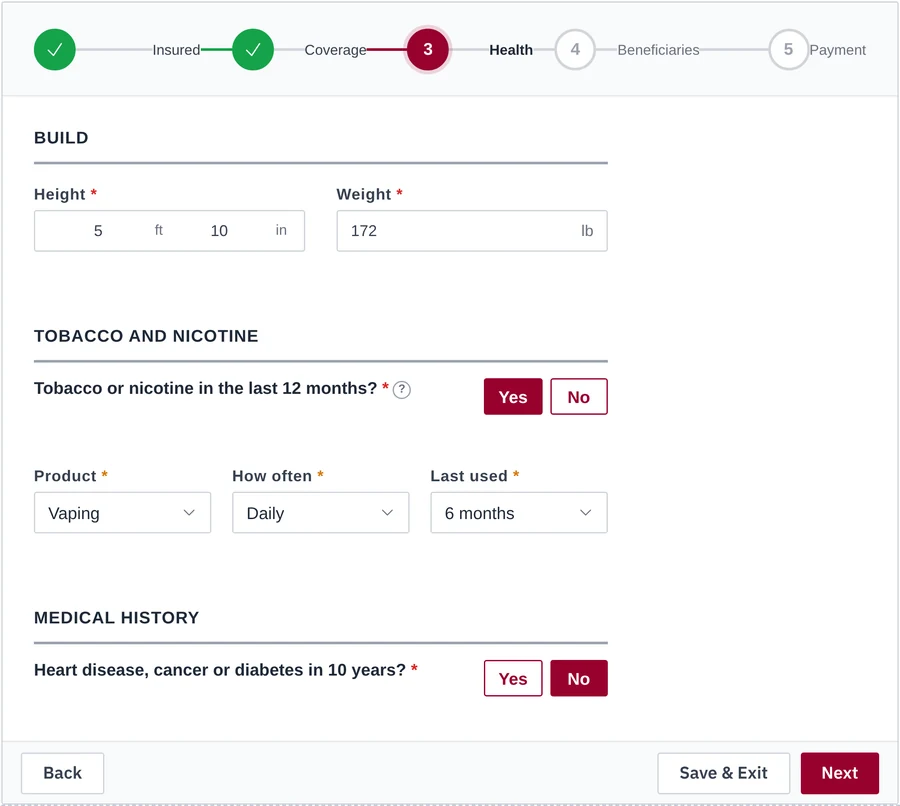
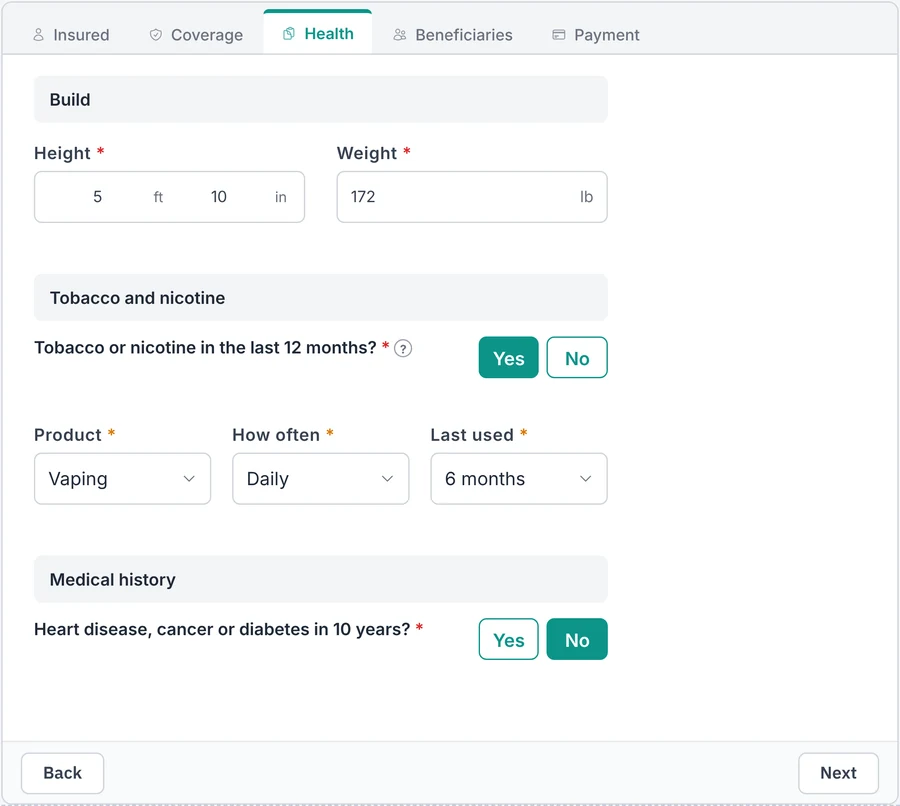
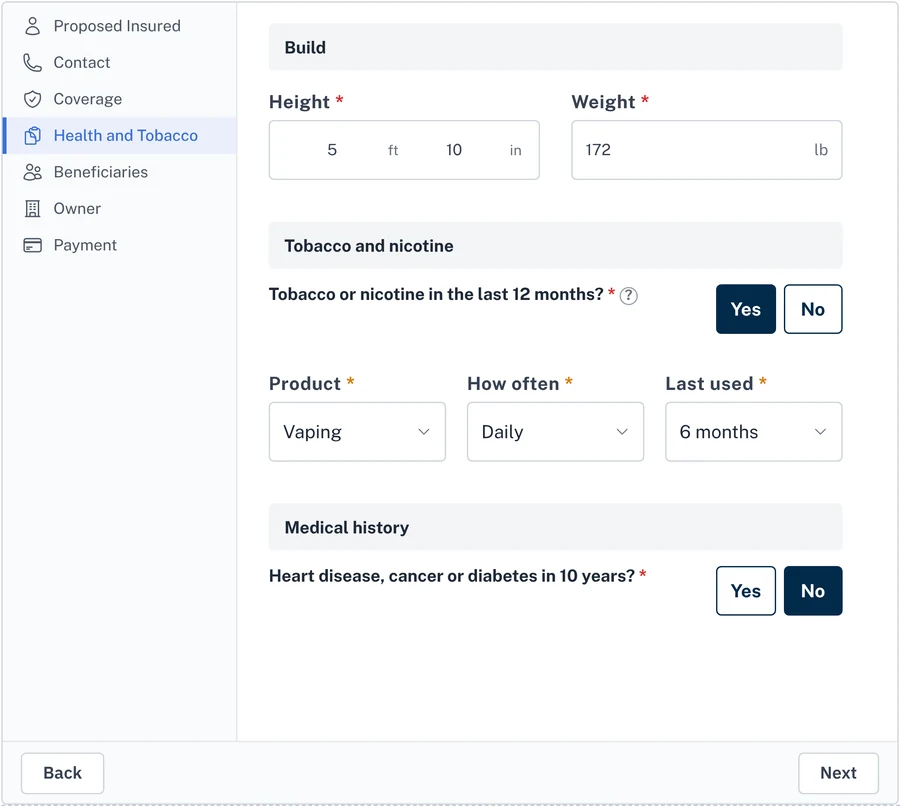
Lay out the same screen as steps, tabs, a side menu or cards, then pick a style and color to match.
- Step by step
- Tabs
- Side menu
- Cards
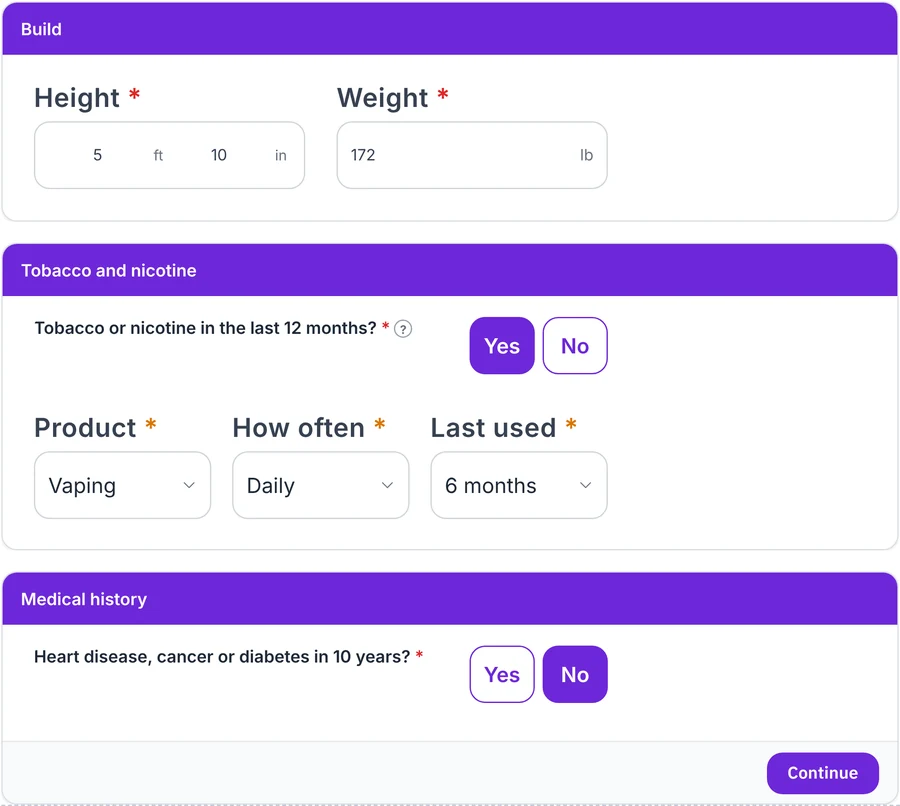
The same screen, four ways.
- Step by step
- Tabs
- Side menu
- Cards
The same screen, four ways. Swipe to see each.
Component packs
Save configured components to reuse in any project.
A pack is a saved collection of fields and sections, with their labels, options and rules intact. Configure once and reuse across screens and projects. Packs save as files, so your whole team can build from the same set.
What you get
Everything your team needs, from one project
Download the mockups, the rules spreadsheet, the test cases and the data map whenever you need them. They all come from the same project, so they always match.
-
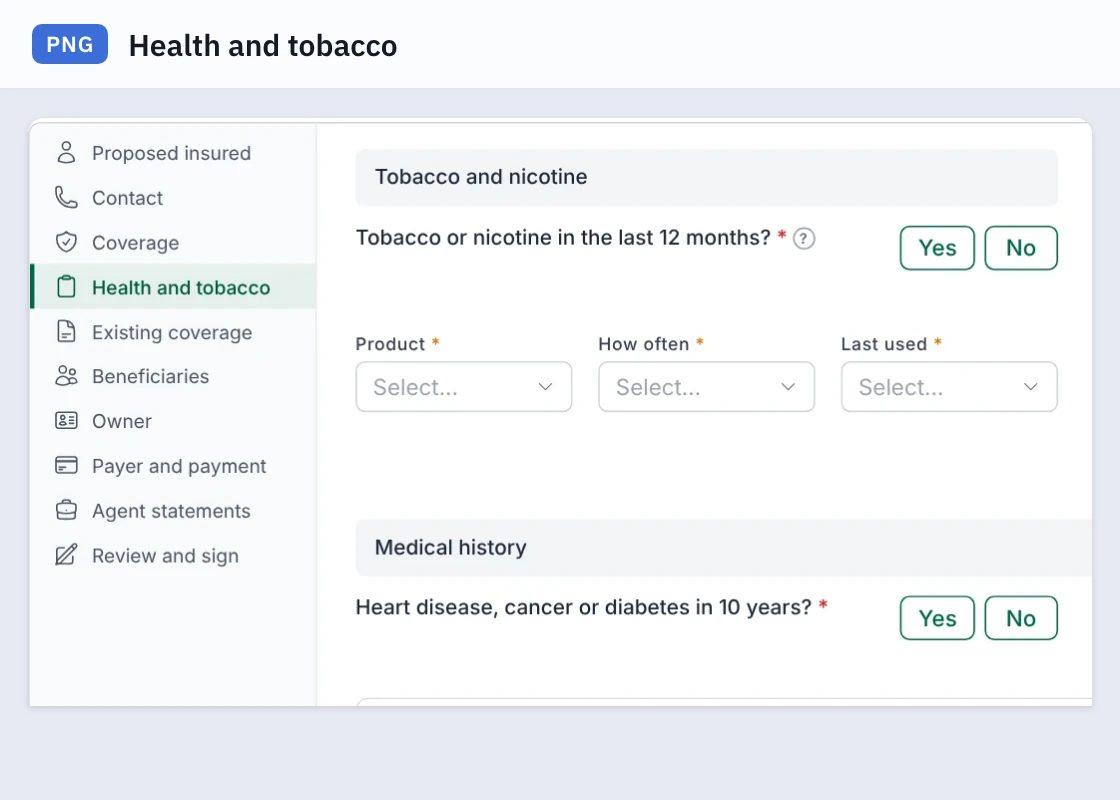
Mockups
Every screen, ready to share as an image.
-
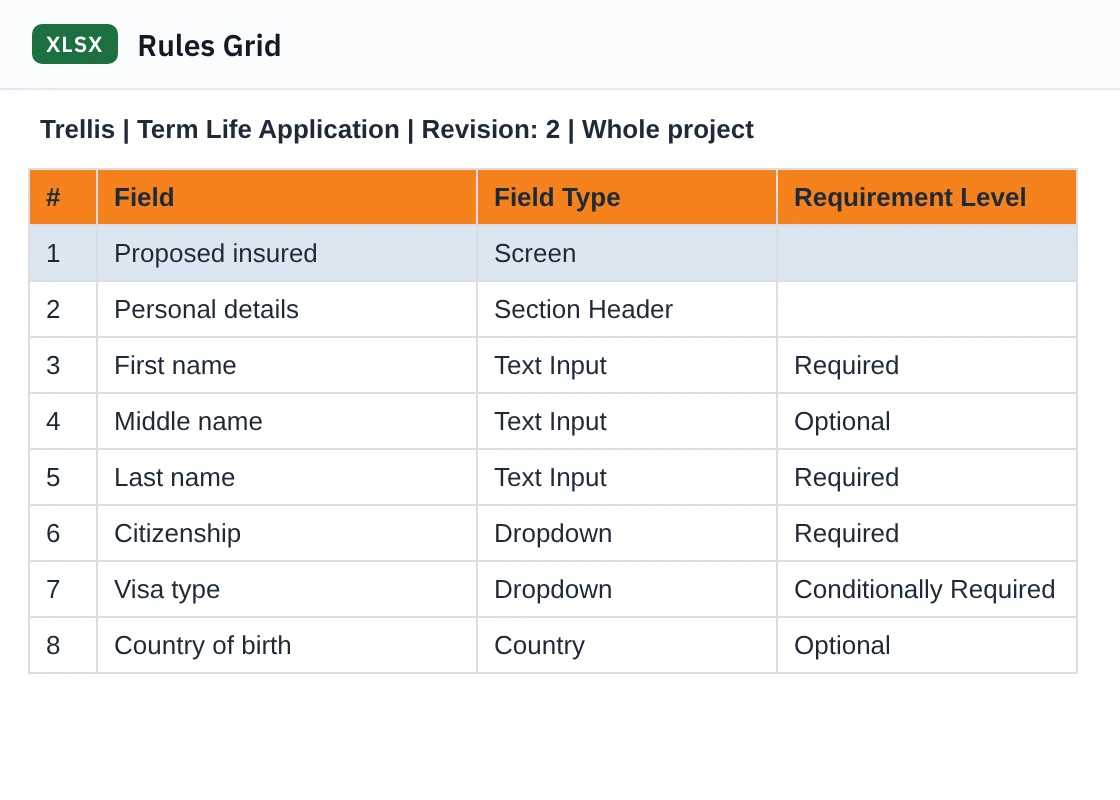
Rules spreadsheet
One row per field, with its rules.
-
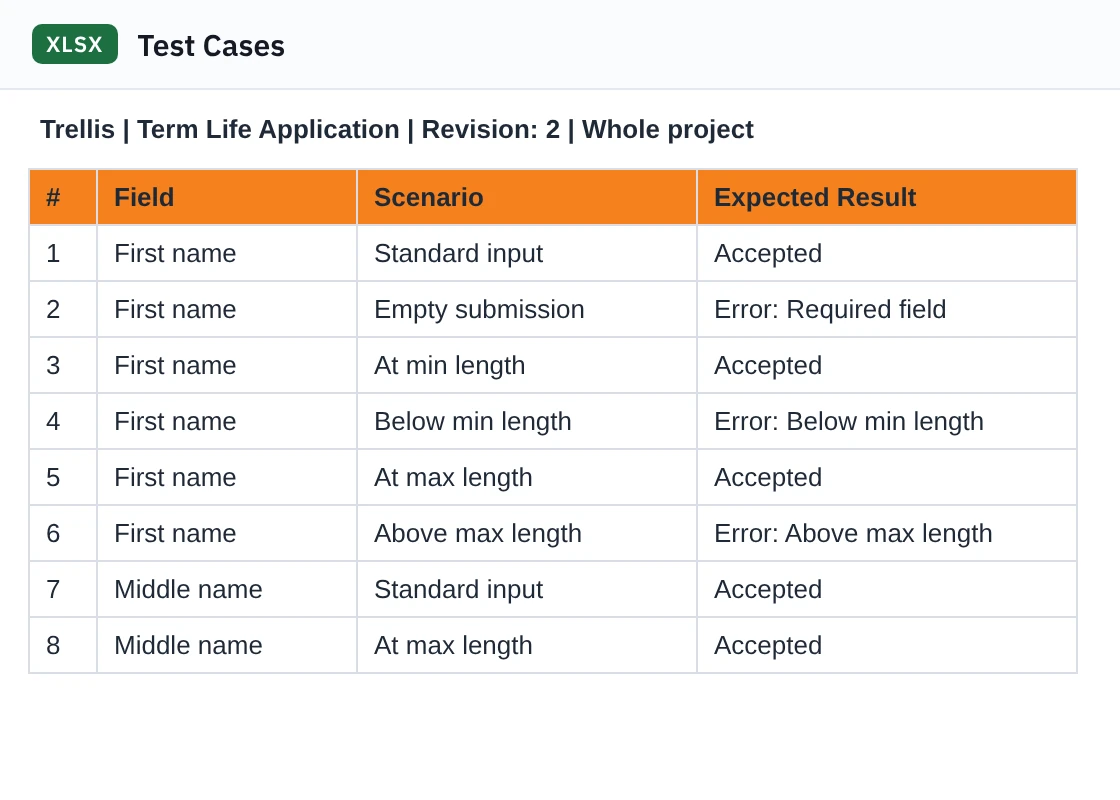
Test cases
A scenario and expected result for every field.
-
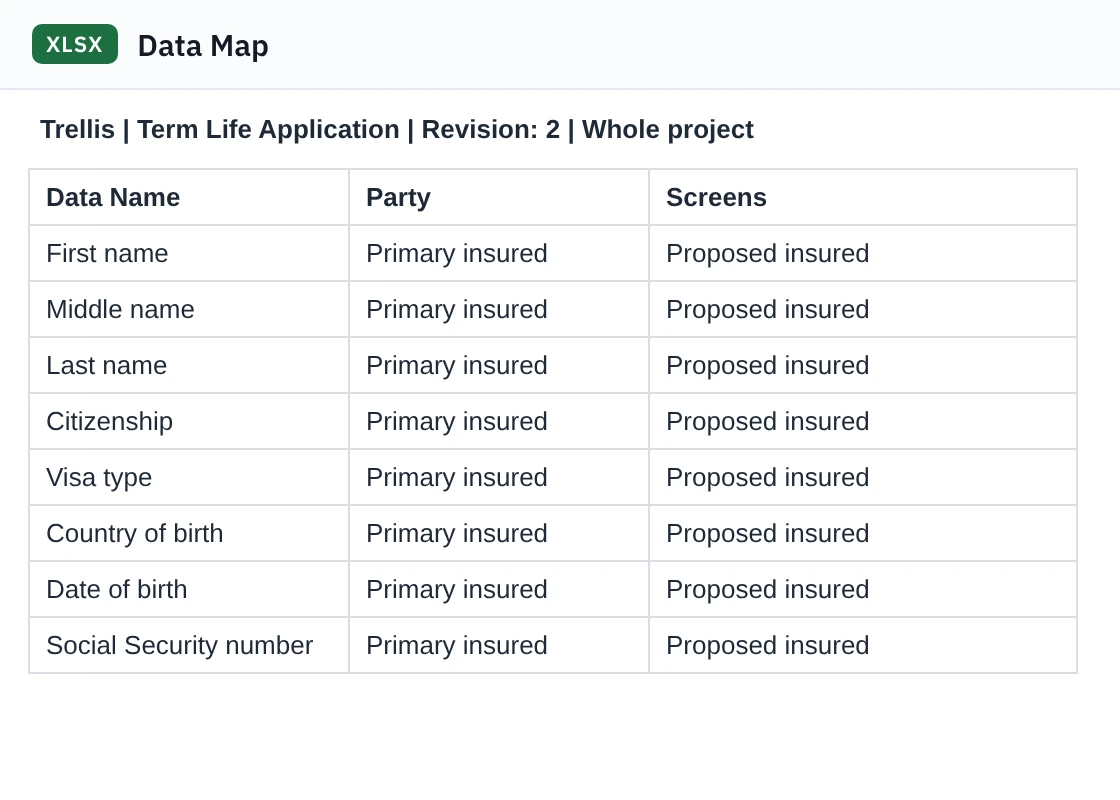
Data map
Where every piece of data is collected and sent.
-
Mockups
Every screen, ready to share as an image.
-
Rules spreadsheet
One row per field, with its rules.
-
Test cases
A scenario and expected result for every field.
-
Data map
Where every piece of data is collected and sent.
Swipe to see each file.
Privacy
Your work stays on your computer
Most software asks you to trust its servers with your work. Trellis never sees it.
-
No account
Open it and start working. There's nothing to sign up for.
-
Files you own
Projects save to your computer, like any other document.
-
Nothing tracked
No analytics and no outside scripts.
-
Ready for IT review
A security and privacy guide comes with it. Read the guide
See a finished example
Open a complete life insurance application built in Trellis, with 10 screens, 115 fields and 6 forms, all connected.
Free. No account.
Trellis runs on a laptop or desktop computer.